
Merchant Admin Panel
Understand merchant operations in the ByteConnect backend: dashboard, devices, transactions, payouts, and legal.
Explore the ByteConnect merchant admin panel and core operational screens.
Dashboard
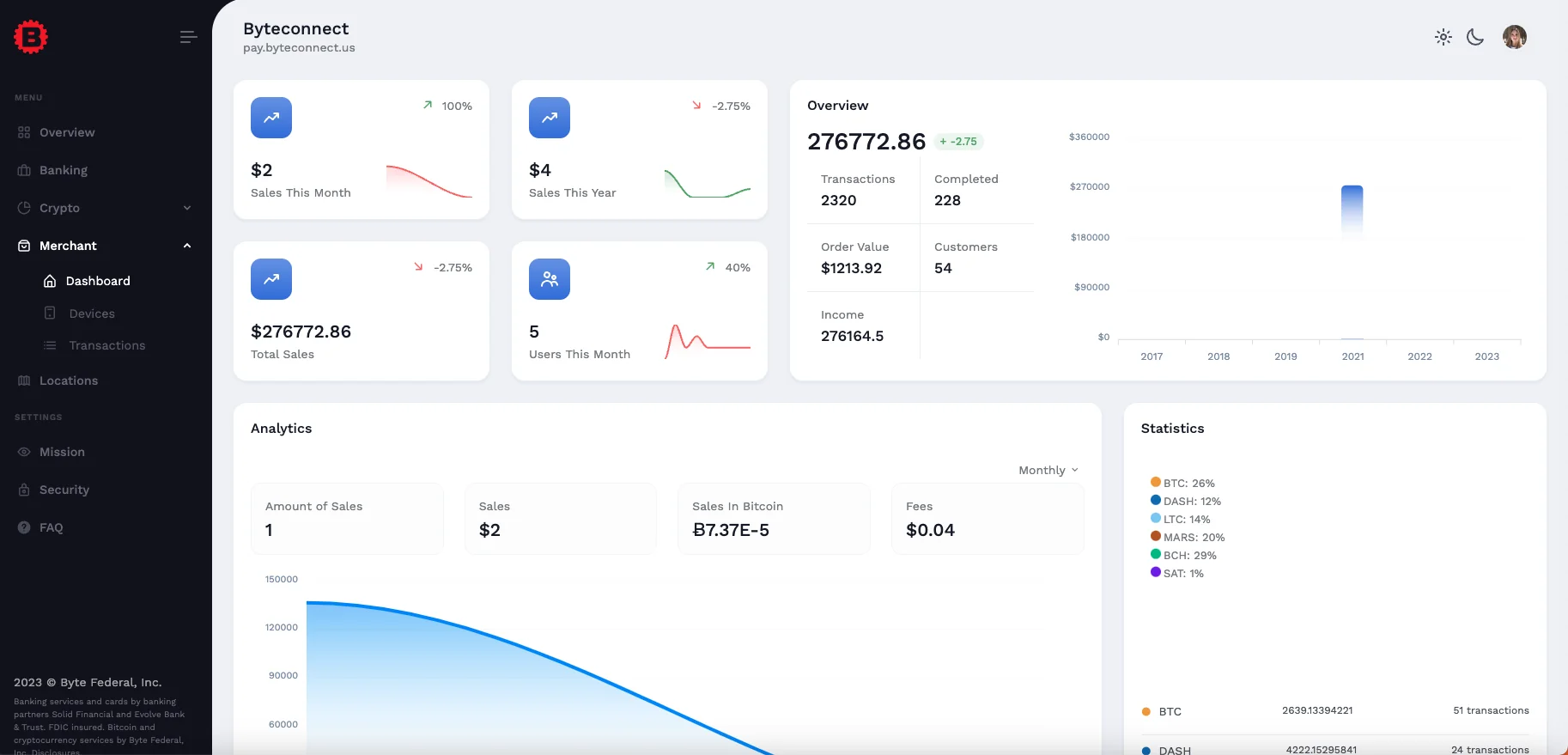
Sign in through WebWallet and open the Merchant tab. The dashboard gives a high-level view of sales performance and activity.
Devices
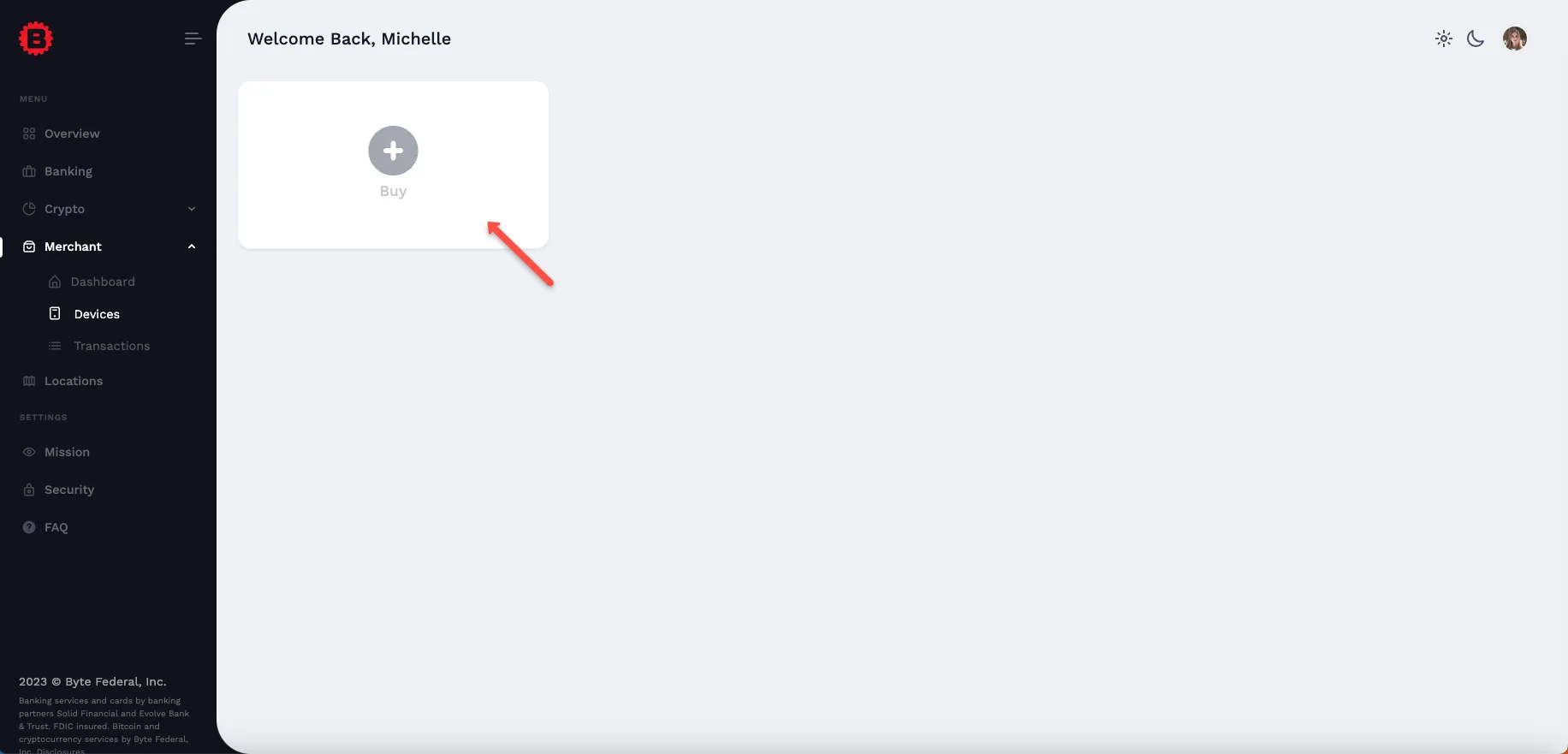
The Devices section lists all connected POS devices and where to manage additional device orders.
Transactions
The Transactions section shows your complete payment history across all devices and locations.
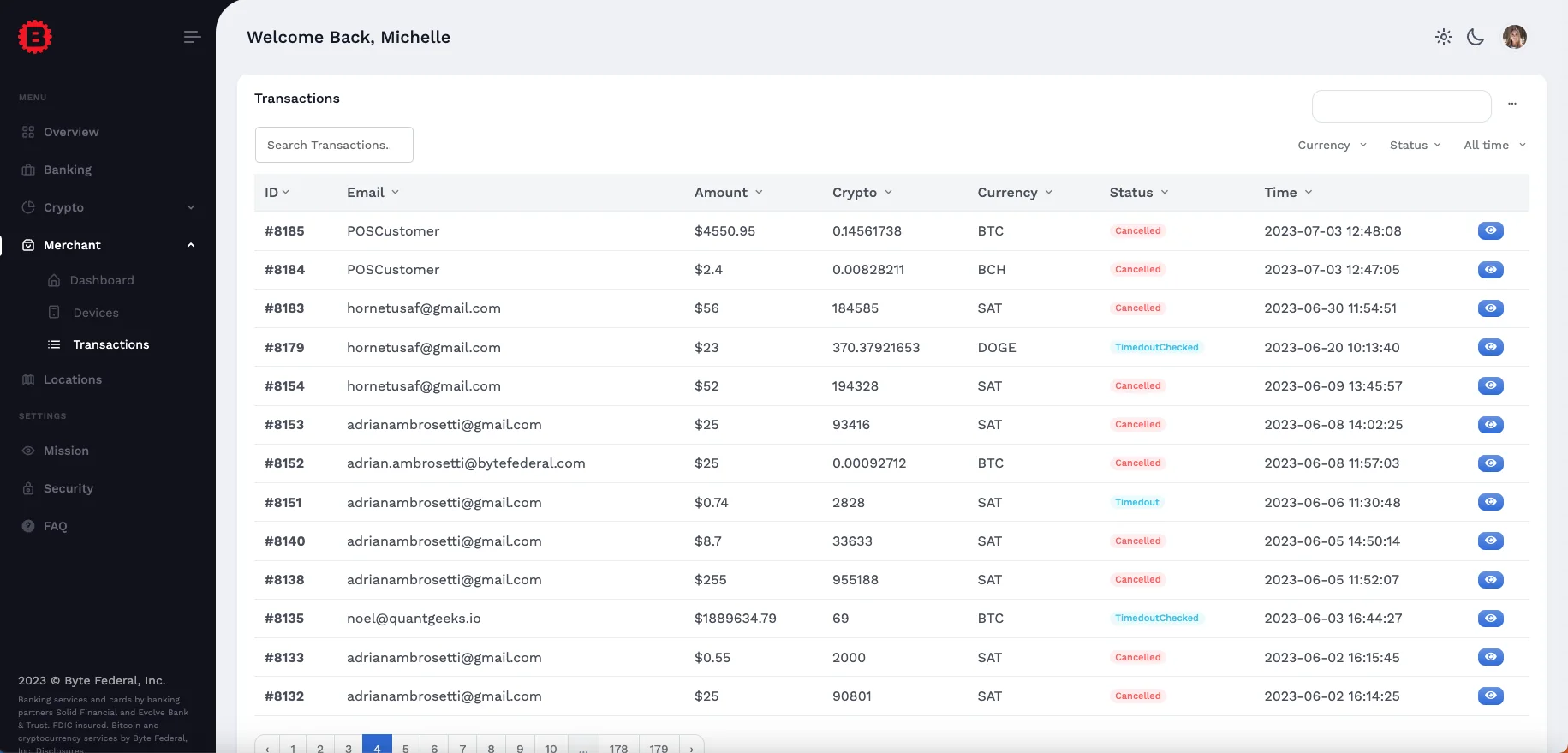
Filter or sort transactions by buyer email, amount, asset, settlement currency, status, or timestamp. Use blockchain explorer links when available for additional verification.
Payouts
Configure payout preferences for USD (ACH), Bitcoin, Lightning, and USDT based on your settlement workflow.
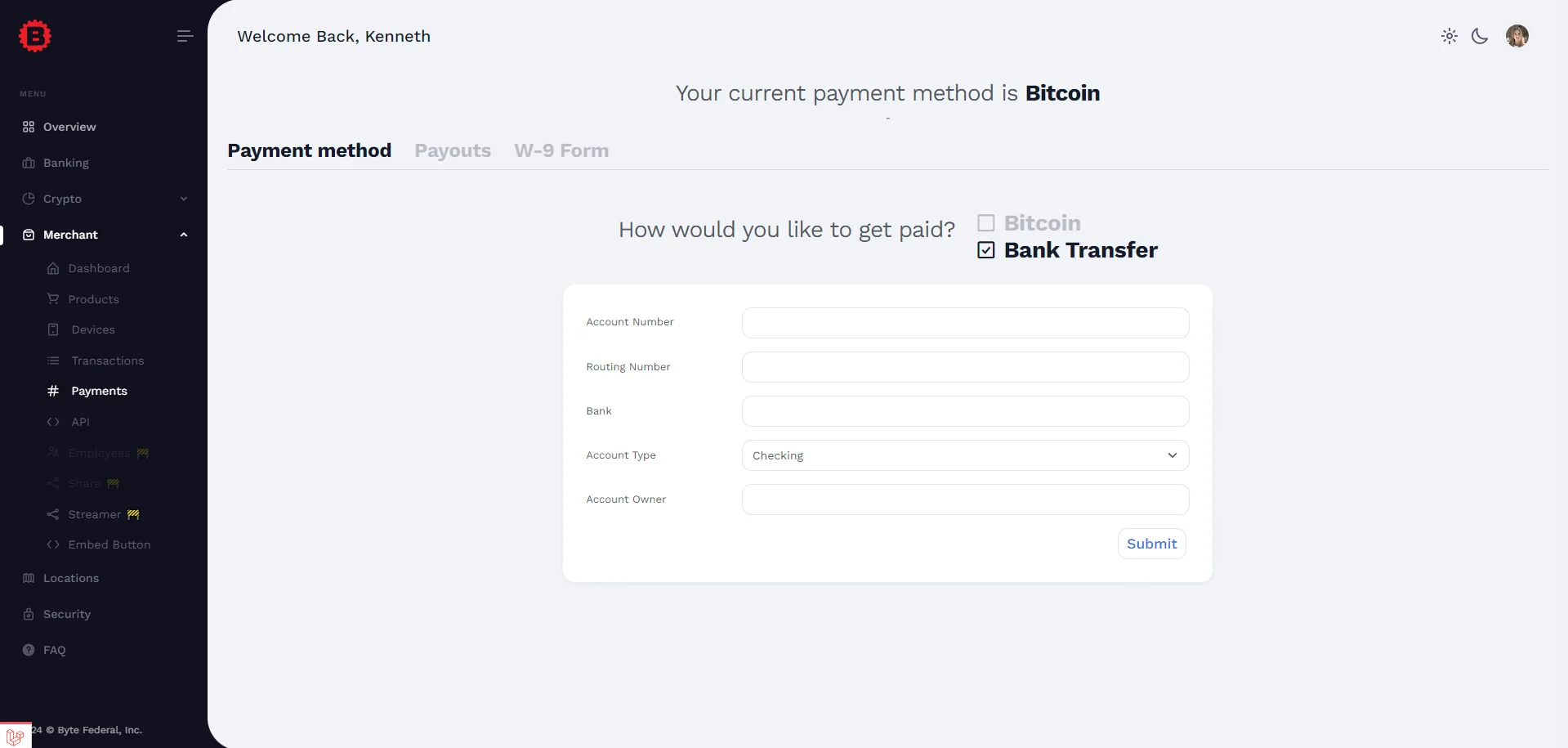
US merchants: If you select bank transfer, ensure your W-9 name matches your bank account details.
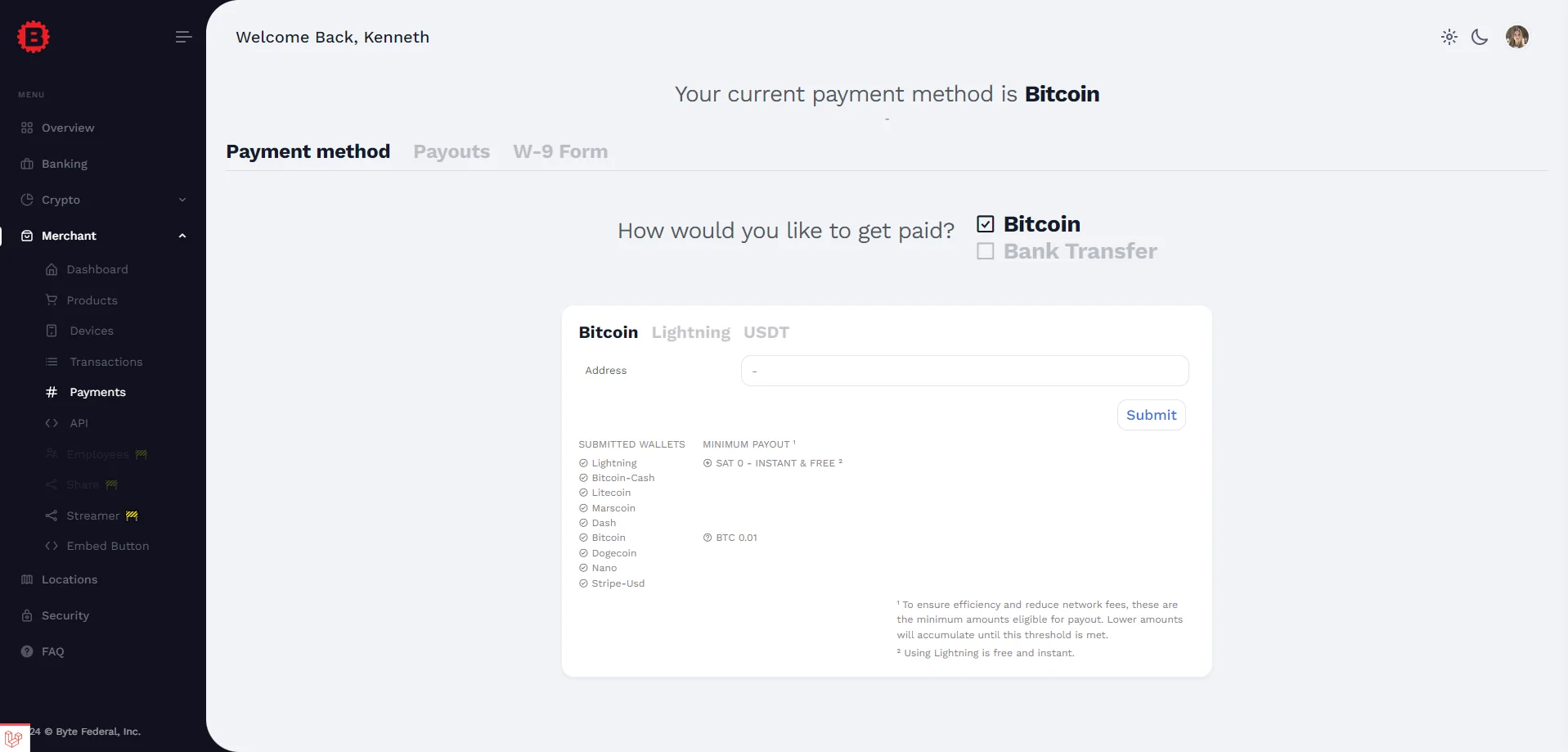
Lightning is typically the most cost-effective option for small payouts, while larger settlements often use Bitcoin or USDT.
Legal
For legal agreements and disclosures, see Byte Federal legal notices.